How to drive the work from the chat
The chat is where you say what should happen; the board is where it is recorded. This is what you can ask for, which commands exist, and what lands on a ticket afterwards.
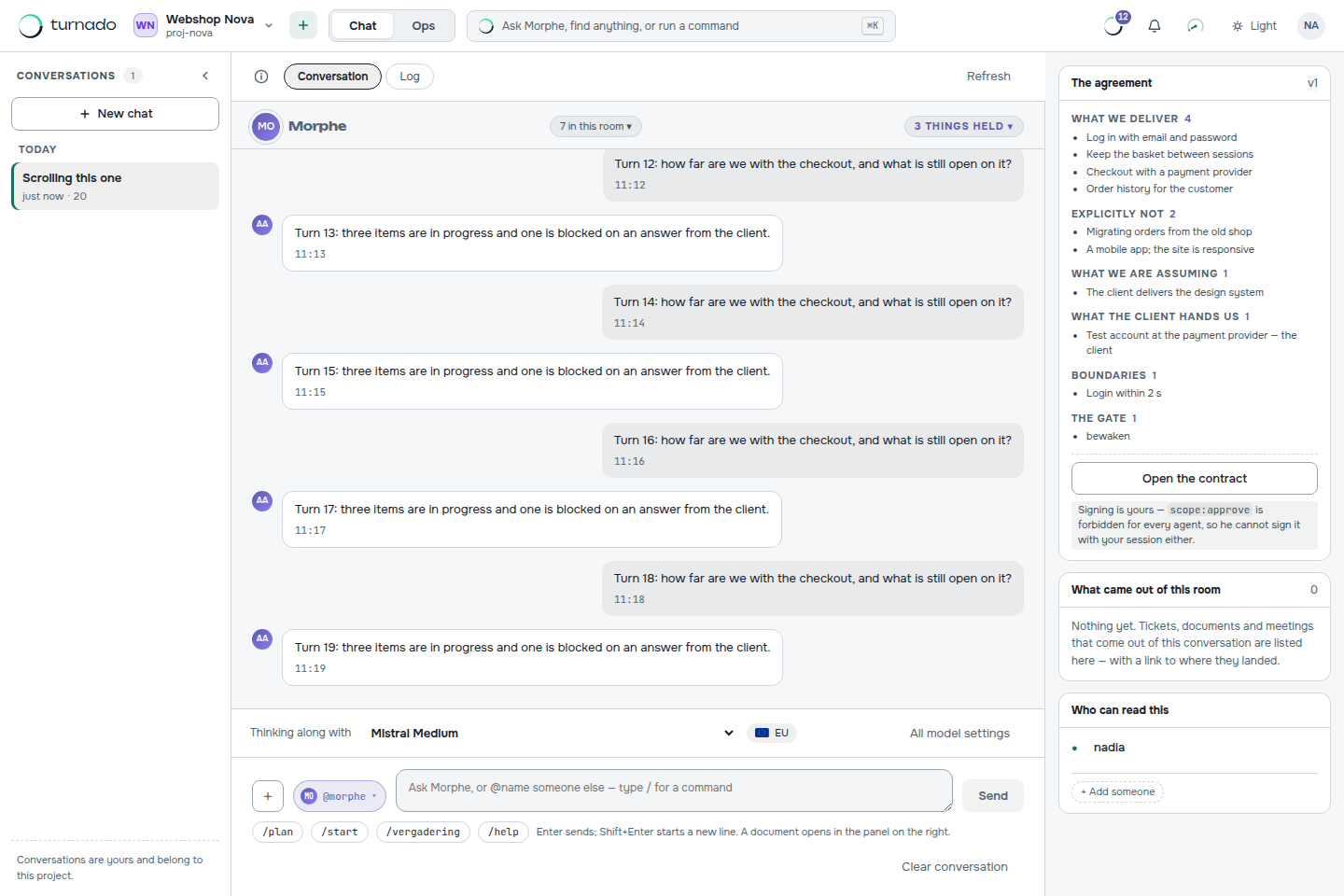
Turnado has a chat, and it looks like every other AI chat you have used. The difference is what happens to what you say in it: nothing important stays in the conversation. An instruction becomes a work item, a decision becomes a line on a ticket, an agent run becomes a record with its model, duration and cost. The chat is the remote control; the board is the memory.
The commands
| Command | What it does |
|---|---|
/plan | Ask for a plan for what you just described, without anything being created yet. Useful when you want to see the decomposition before it lands on the board. |
/start | Let the agents pick up work now: one round of the queue, the same as the button on the Queue screen. |
/help | What this chat can do, in this project, right now. |
Everything else is ordinary language. Enter sends, Shift+Enter starts a new line, and the document button is how you submit a document rather than a message.
What the chat can see
Every turn carries the measured state of the board with it: which items exist, what status they are in, what is waiting on whom. That sounds like a detail and it changes the conversation completely — the analyst cannot ask you for the analysis document it has itself already turned into work items, and it cannot claim something is done that the board says is in review.
Which model thinks along
At the bottom of the chat sits the model bar: which model is answering, and a label saying whether it runs inside or outside the EU. You can switch it there, or open all model settings. What happens under the hood is described in Choose a model per kind of work — briefly: heavy reasoning and code work can be someone else’s model, routine process work runs on ours.
From a conversation to a ticket
Two routes exist and both are one click. Under an AI answer sits the button that submits it as an analysis document — that is the route for something the size of a feature. For a single item, the answer can be handed to the “Add work” form with its title and description already filled in, which is the route for “also fix this while you are in there”.
What never happens is the third route: something important that stays only in the conversation. If it matters, it is on a ticket, and the ticket is what an agent reads when it picks the work up.
Is the chat the same as an AI coding assistant?
No, and it is not trying to be. The chat is where you steer; the code work runs on the model you choose — possibly the same Claude or GPT model your assistant uses. What Turnado adds is that the outcome is recorded on a board with statuses, gates and roles instead of in a session that ends when you close the window.
Does typing in the chat start agents?
Only /start does, or the button on the Queue screen — unless an administrator has switched on continuous running with TURNADO_WORKER_INTERVAL_SECONDS. Asking a question costs a model call for the answer, not a round of agent work.
Can several people use the same conversation?
Conversations belong to the project, so colleagues with access to the project can see them. That is the point: two people with two private chat windows build two versions of the truth, which is exactly the problem the board exists to solve.