How to set up delivery and open the release gates
A four-step wizard from “where does your pipeline run” to a snippet you paste into it — and after that, gates that open because a pipeline reported, not because someone ticked a box.
Two of the eighteen gates cannot be satisfied from inside Turnado: CI green and deployed to TEST. Those are facts about your pipeline, and the only honest way to know them is to have the pipeline say so. Setting that up used to be the most tedious screen in the product; it is now a wizard with four steps.
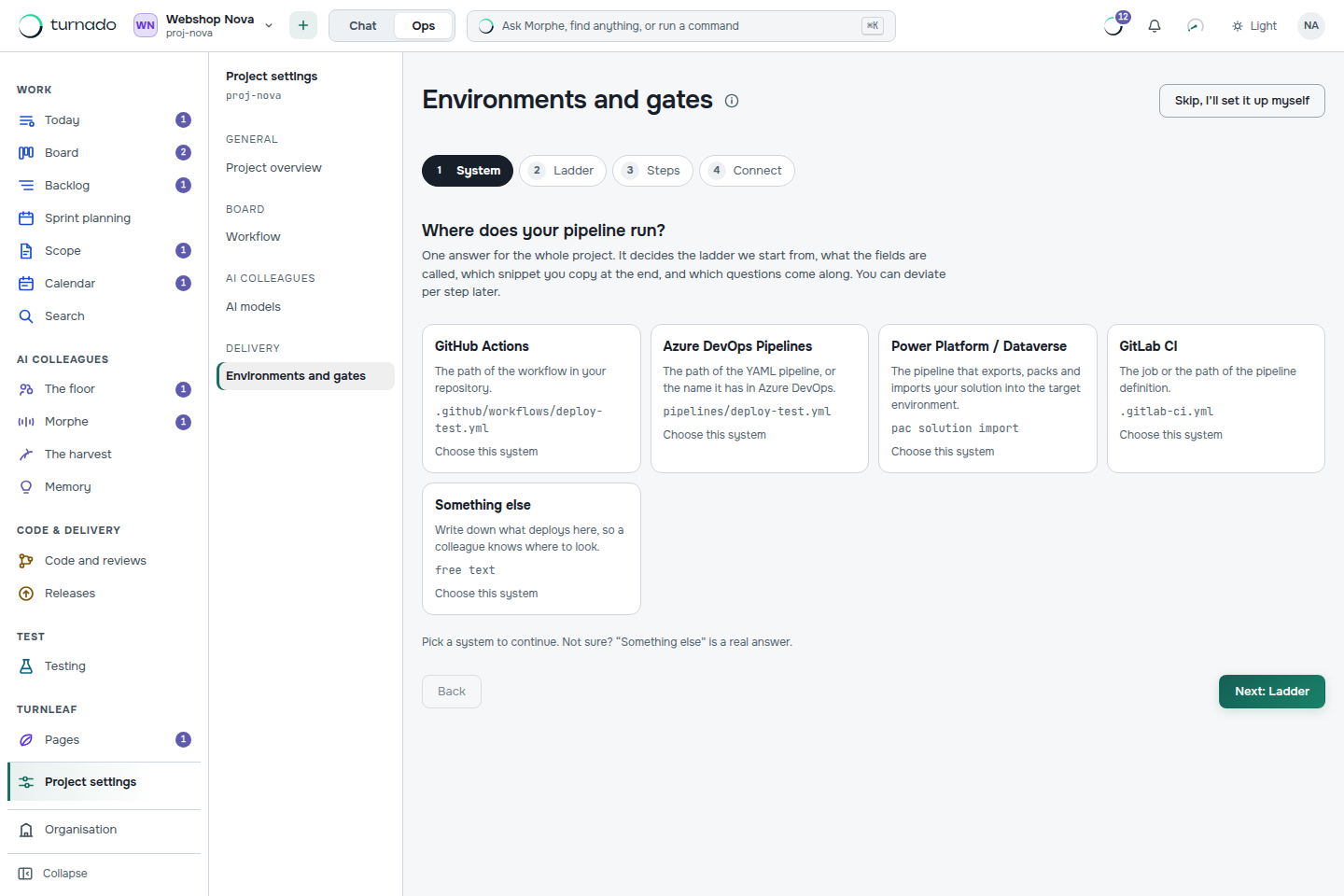
The four steps
System
GitHub Actions, Azure DevOps Pipelines, Power Platform / Dataverse, GitLab CI, or something else. One answer for the whole project; you can deviate per step later.
Ladder
The rungs your software climbs — typically DEV, TEST, ACC, PROD. Each system starts from a sensible default ladder rather than an empty list.
Steps
Per rung: what deploys there, which key the pipeline reports under, and which gate that rung opens. This is where “deployed to TEST” becomes a specific fact rather than a phrase.
Connect
You get a snippet with the key already filled in, to paste into your workflow file. Nothing to look up, nothing to spell correctly.
How a pipeline reports back
Two endpoints take incoming reports, authenticated with the CI token of your organisation. POST /api/webhooks/ci carries the fact behind “CI green”; POST /api/webhooks/deploy carries the fact behind “deployed to TEST”. The token is created on the Integrations and webhooks screen.
curl -sS -X POST "$TURNADO_URL/api/webhooks/deploy" \
  -H "content-type: application/json" \
  -H "authorization: Bearer $TURNADO_CI_TOKEN" \
  -d '{"itemId":"US-104","environment":"test","status":"succeeded"}'
When the gate never opens
The most common failure is not a broken pipeline but a key mismatch: the pipeline reports under deploy-test while the rung expects test. Turnado keeps both sides — the last report per environment, and the keys it has been told about that appear in no rung at all. That list is the diagnosis for “the gate never opens”, and it is the reason this screen keeps what it received instead of discarding what it could not place.
Releasing
A release lane shows what went to which environment and where it came from. Releasing to production is a permission no agent has, so the last step towards your users is always a person pressing something — with the provenance of what they are pressing visible next to it.
What if my pipeline is not in the list?
“Something else” is a supported answer, not a fallback: you write down what deploys there in free text so a colleague knows where to look, and the reporting endpoints work exactly the same.
Can an agent deploy to production?
No. release:prod is on the list of permissions no agent ever gets, whatever roles it carries. An agent can get software all the way to a reviewed, tested, deploy-ready state; the step into production is a human one.
Do I have to set this up before I can use Turnado?
No. Without a pipeline the CI and deploy gates simply stay closed and you move those steps by hand, with the reason visible on the ticket. Teams typically connect delivery in the second week, once the board is already carrying real work.