How to move a ticket through the gates
Nine statuses, sixteen transitions and eighteen conditions. This is how a transition is refused, how to read the reason, and how a question puts an item on Blocked and an answer takes it off again.
A ticket in Turnado does not move because someone dragged it. It moves because a transition exists from its current status, the person or agent asking has a role that is allowed to ask, and every condition on that transition is satisfied. Those three checks happen outside the model, in ordinary code, which is why an agent cannot write its own green tick.
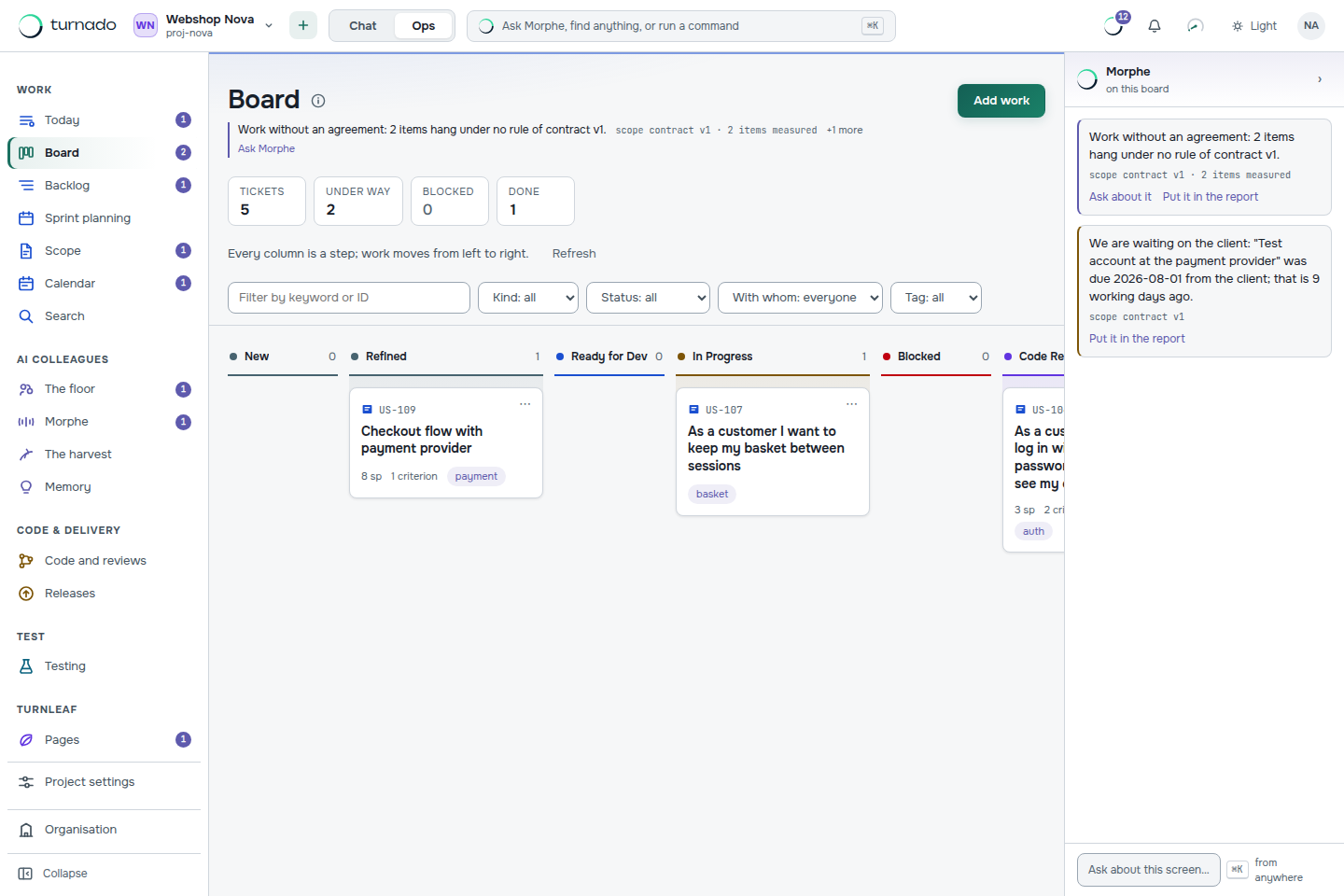
The nine statuses
- New — it exists, nothing more.
- Refined — it has acceptance criteria.
- Ready for Dev — estimated, in a sprint, dependencies resolved, someone owns it.
- In Progress — being worked on.
- Blocked — a question is open. The answer is what unblocks it.
- Code Review — a pull request is open and CI is green.
- Ready for Test — reviewed and deployed to TEST, with test instructions on the ticket.
- In Test — a tester has it.
- Done — the human test passed and the Definition of Done is complete.
How to read a refusal
The middle of every ticket carries the block “What can be done now?”. It lists every transition that exists from this status and, for each one, states word for word which condition is still open. That is the difference between a greyed-out button and an explanation: you never have to guess why the board will not let you do something.
Ready for development        — not yet: no estimate, not in a sprint
Code review                  — not yet: no pull request open, CI not green
Blocked — possibleQuestions and answers move the status
On the right of the ticket sits the conversation about this item, and what you post there is not decoration — it counts towards the gates. A post typed as a question puts the item on Blocked. An answer takes it off again. Test instructions are a condition for Ready for Test, so the tester never has to ask what to click.
This is the mechanism that keeps a stalled item honest. An agent that does not know something does not guess and does not silently stop: it asks, the item goes to Blocked with the question visible, and the wait becomes measurable — “waiting on a person” is a number on the dashboard, not a feeling.
Who may ask for what
Each transition names the roles allowed to request it. Some deliberately exclude agents: planning into a sprint may be proposed by an agent, but approving it is a person’s call. And on top of the roles sits a sieve that only works one way — whoever writes code does not approve their own work, whoever reviews does not write, and neither can change the rules of the game. See Team, roles and what an agent can never do.
Can I change the workflow?
The workflow and its gates are configurable per project, under Project settings → Workflow. Changing them is a permission (workflow:write) that no agent ever has — an agent that could widen its own gates would make every other guarantee decorative.
What if I have to move something past a gate anyway?
Forcing a status past its gate exists as a permission for people (status:force) and is recorded in the audit log. No agent has it. If you find yourself forcing regularly, the gate is telling you something about the workflow rather than about the ticket.
Why is an item stuck in Blocked?
Because a question on it has not been answered. Open the ticket, read the question in the conversation, and post an answer — the status comes off Blocked with it. The Queue screen groups everything that stays behind by cause, so you can find them all at once.