How to keep the AI bill predictable
A ceiling per task, a budget per sprint, an allowance per month, and every run recorded on the work item it was made for. This is how to see what AI actually costs you and where it stops.
AI work costs money every time you use it, and that is almost impossible to feel while it is a single number on a monthly invoice. The fix is not a dashboard you visit once a quarter — it is attaching the amount to the thing it was spent on. In Turnado the cost hangs on the work item, next to the hours people booked on it.
Four ceilings, from small to large
| Where | What it does |
|---|---|
| Per task | A cap in euros — three by default — on one agent task. Reached, the agent stops and asks a person how to continue. An agent loop that runs away should stop and ask, not come asking forgiveness at the invoice. |
| Per sprint | The AI budget you set at planning. The Queue shows what has been spent and what is reserved for work that is ready. |
| Per month, per organisation | The allowance in your plan, and the ceiling above it. Usage this month is added up before every model call, so the stop happens before the spend, not after. |
| Per agent loop | Limits on iterations and on repetition, so an agent that is going in circles stops being expensive as well as useless. |
Where the numbers show up
- On the card — what the AI spent on this item, right on the board.
- On the ticket — every run with its model, duration, tokens and cost.
- On the sprint — AI cost so far against the budget you set.
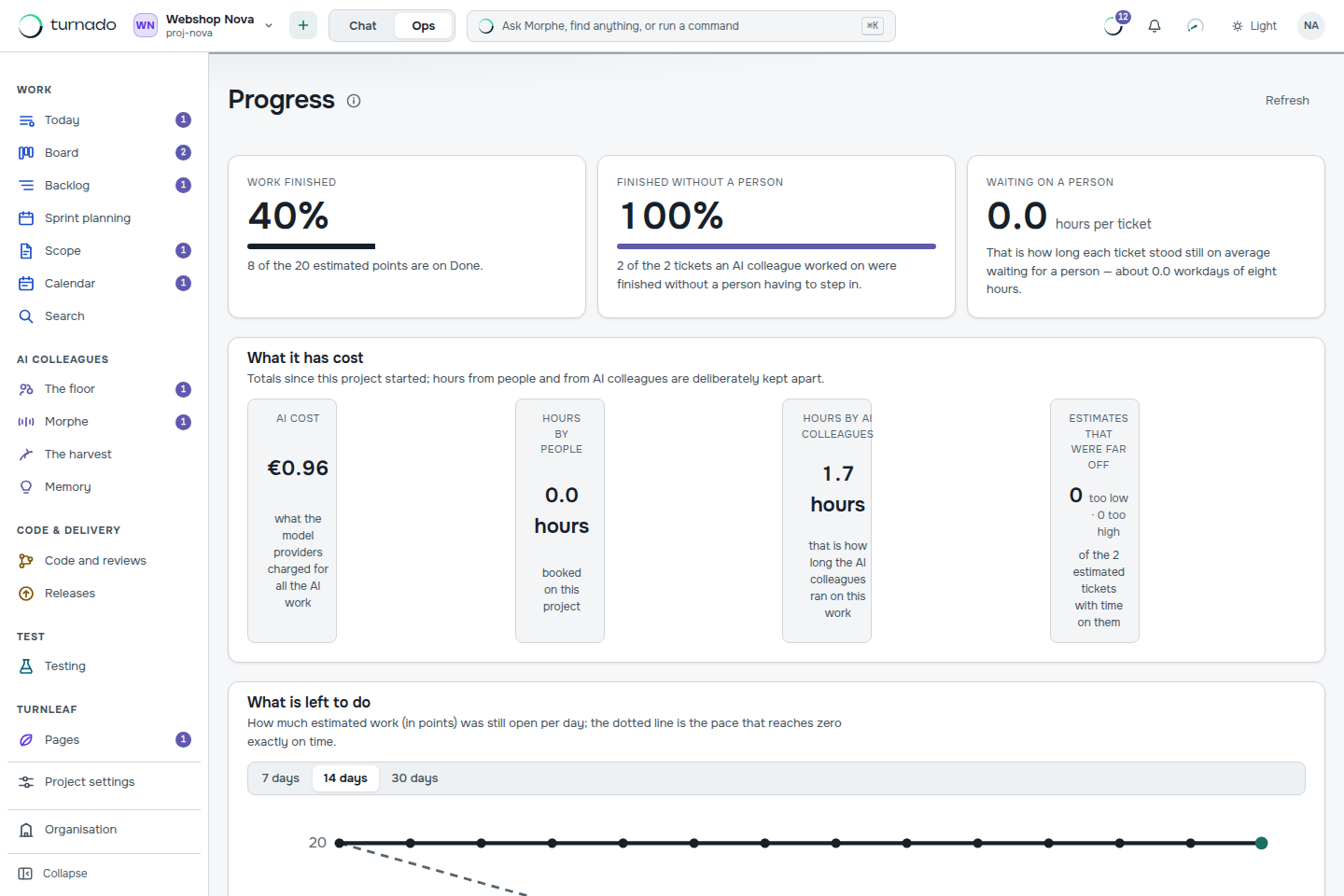
- On the dashboard — total AI cost, hours by people and hours by AI colleagues kept deliberately apart, and how much work was finished without a person stepping in.
Passing it on to your own customer
Usage is gathered per project, per ticket, per model and per AI colleague, alongside the hours people booked. An agency can therefore bill an AI-heavy project to its own customer one to one, with a line-by-line justification instead of a percentage nobody can check.
Bringing the bill down
- Split the work by kind. Routine process work on a small model is where most of the saving is — see Choose a model per kind of work.
- Write better acceptance criteria. An agent that has to guess iterates; an agent that has a specification does not. Criteria are the cheapest optimisation in the product.
- Answer questions faster. Every hour an item sits in Blocked is an hour of context that has to be rebuilt when work resumes. The dashboard measures that wait.
- Lower the per-task cap. If tasks routinely stop at the cap, the stories are too large. That is a decomposition problem showing up as a cost problem.
- Bring your own key for code work. It leaves your allowance and ceiling untouched entirely.
What happens when the monthly ceiling is reached?
The agent stops, with the same sentence the pricing page lists for your plan — it comes from the same function, so the page cannot promise something the API does not do. Work on your own key does not count towards it.
Am I charged for usage above my allowance today?
The amount is counted and traceable per run, but there is no invoice line for it yet, so nothing extra is charged today. That is an open piece of work and it is stated plainly here and on the pricing page rather than discovered.
How much does one user story cost in practice?
It depends on your model choice and the size of your stories; the default assumption in sprint planning is twenty-five eurocents per item. Run one sprint and read your own measured figure from the dashboard — that number is worth more than any benchmark.