How to set up AI colleagues and let them pick up work
Six agents with roles, a queue with slots and a WIP limit, and an autopilot that is off until you turn it on. This is how work reaches an agent, and why some work never does.
An AI colleague in Turnado is not a chat window with a system prompt. It is an actor on the board with roles, permissions and a name that appears on tickets — and everything it does goes through the same tool contract that your buttons go through. There is no separate agent mode with extra rights.
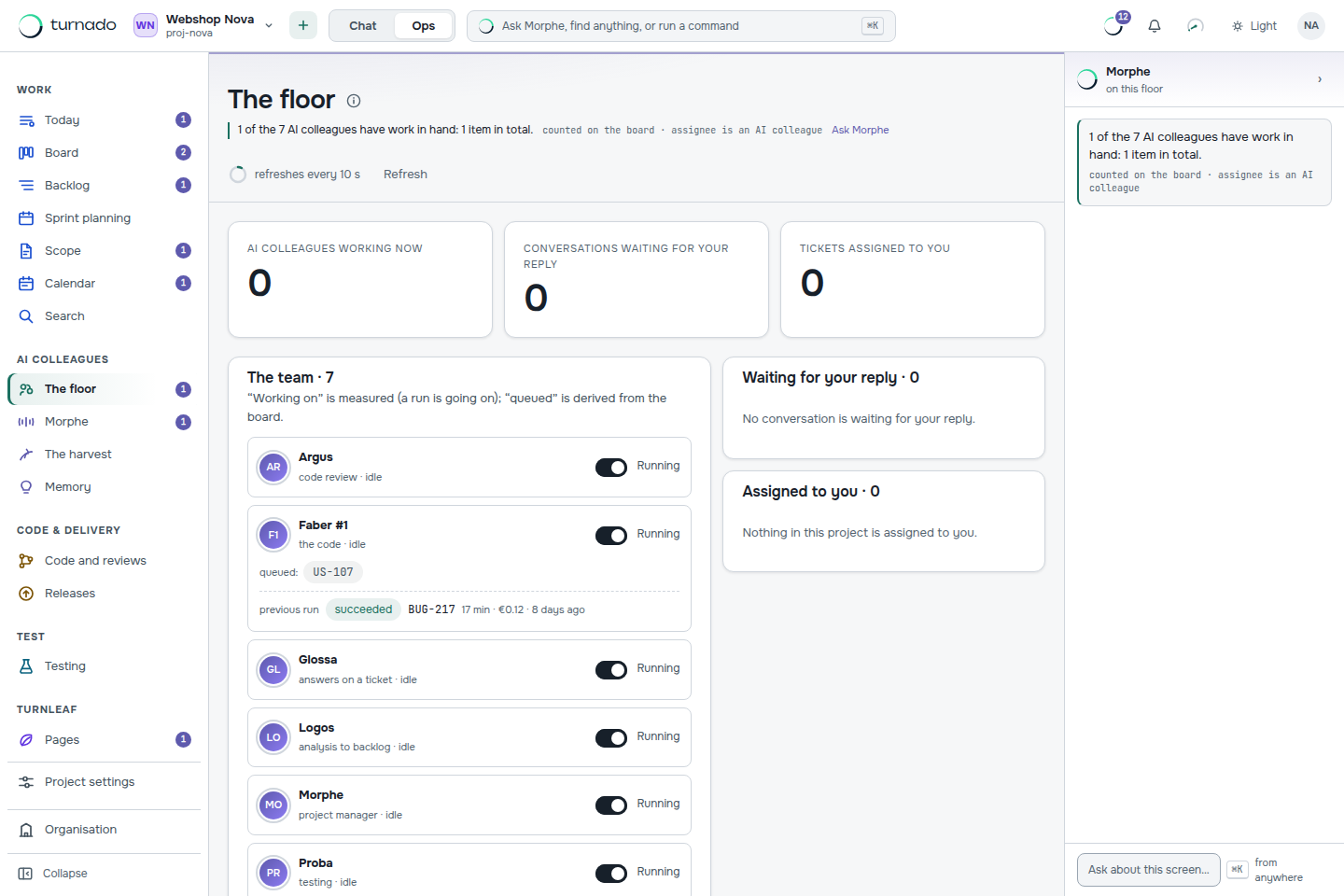
Who does what
| AI colleague | Its job |
|---|---|
| AI-Analysis | Turns an analysis document into epics, features and user stories. |
| AI-Dev | Writes code in its own working directory and opens a pull request. |
| AI-Review | Reviews a pull request and submits an approval or requests changes. |
| AI-Test | Derives test cases from the acceptance criteria and posts test instructions. |
| AI-Comments | Reads what is posted on tickets and classifies it — a question, an answer, a decision. |
| AI-Writer | Writes documentation when a feature is finished (see Turnleaf, the wiki that writes itself). |
You can have more than one of a kind — AI-Dev #1, AI-Dev #2 — and each one takes a slot in the queue while it runs. That is how you scale: not by making one agent work longer, but by letting several work in parallel within a WIP limit you set.
How work reaches an agent
The board decides what is ready
An item is pickable when its status is one agents act on, its gates for the next step are satisfied, and it is not waiting on a person. Nothing is pushed to an agent — the queue is derived from the board.
The queue puts it in order
The top row goes first. Every row links to its ticket, so “why is this one first?” is one click away rather than a matter of trust.
A slot has to be free
Slots are the WIP limit for agents. Two of three taken means one agent can start; the rest waits, and says it is waiting rather than doing nothing quietly.
A round runs
Press Run one round of the agents, or type
/startin the chat. WithTURNADO_WORKER_INTERVAL_SECONDSset, rounds run continuously without anyone pressing anything.The run is recorded
Model, duration, tokens and cost land on the work item, together with the outcome. A run that failed is as visible as one that succeeded.
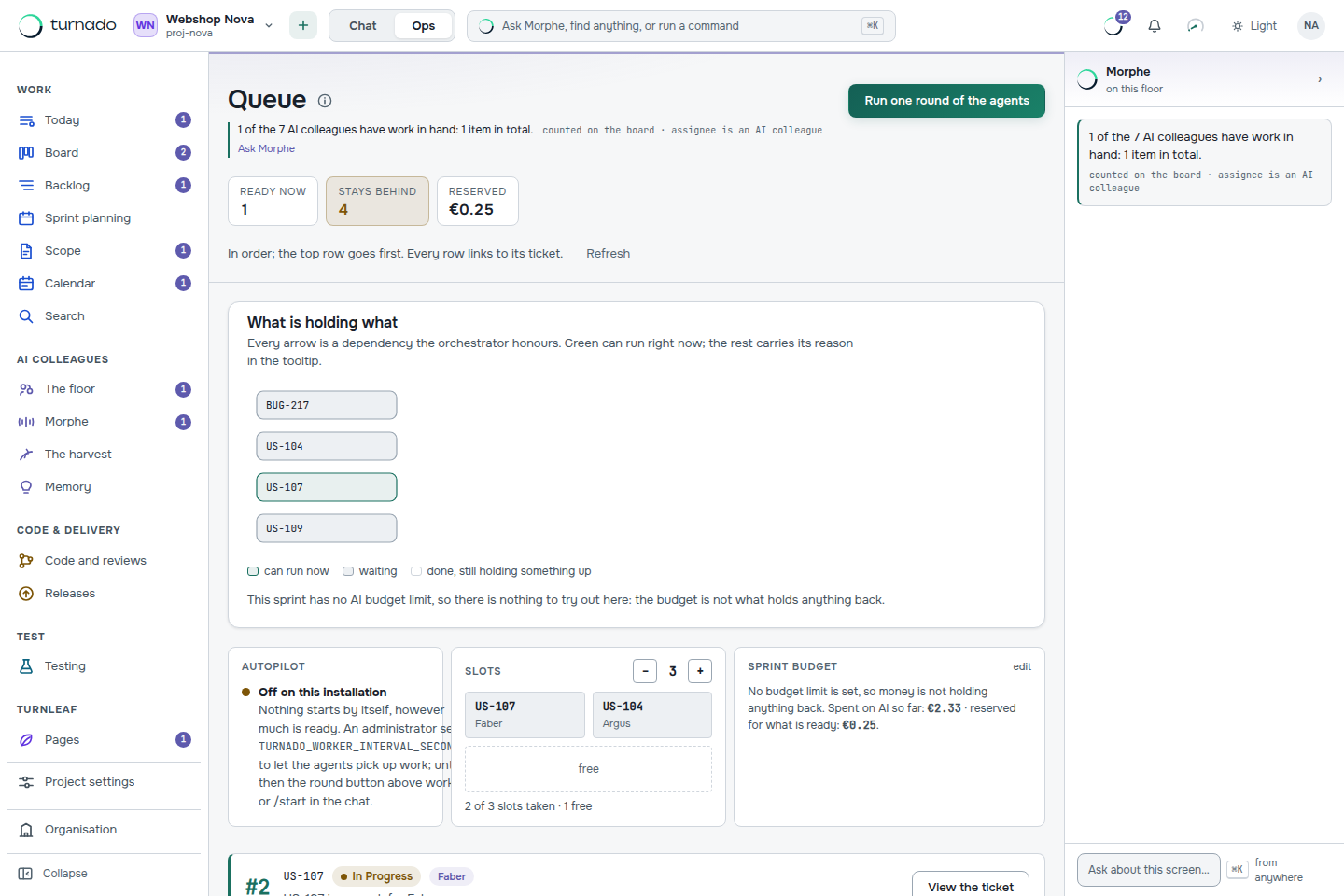
Why work stays behind
The most useful screen in Turnado is the one that explains inaction. Everything that is not picked up is grouped by cause: assigned to a person, a status agents do not act on, a gate that is still closed, the WIP limit, the budget ceiling. An agent that quietly does nothing is the failure mode of every agent platform, and naming the reason is the fix.
What an agent may never do
Agents carry roles the way people do — developer, reviewer, tester — and on top of that sits a list of permissions no agent ever gets, however many roles you hand it: merging code, releasing to production, deleting items permanently, changing the workflow or the gates, managing members, secrets, repositories or the subscription, forcing a status past a gate, and rewriting the audit log. That list lives in code and is guarded by tests. See Team, roles and what an agent can never do.
Can I give an agent more permissions if I trust it?
You can give it more roles, and roles do grant permissions. What you cannot do is get around the forbidden list: the same roles produce a smaller permission set for an agent than for a person, and that difference is applied in one place, in code, not in a prompt.
How many agents should we run?
Start with one of each and one slot free. The bottleneck in practice is not agent count but how fast people answer questions and review pull requests — the dashboard measures exactly that as “waiting on a person”.
What happens when a run fails?
The run is recorded with its failure and the item stays where it was. Nothing is half-moved: a status change happens after a successful outcome, through the same gates as a person’s change would.